

6 Reasons To Buy An E-Reader, Not An iPad
We may receive a commission on purchases made from links.
The humble e-reader is often underrated, at least compared to other screen-toting gadgets. People who want a powerful tablet will likely ignore anything with E Ink, skipping instead to the ever-present iPad range. But you'd be overlooking a range of really important reasons why an e-reader, not an iPad, might be the device you're actually looking for.
Even if you're considering getting one of the best e-readers you can buy, you might have assumed it's just for reading e-books. Many who need a work or portable reading gadget will just change iPad settings to make it perfect for reading, instead of picking up a dedicated E Ink device. Let's help you get the full picture, though, by looking at some of the reasons you might want an e-reader instead of an iPad.
Lots of people define e-readers by different metrics, but for the purposes of this article, I'm referring to anything using an E Ink screen. I've been reviewing and testing both iPads and e-readers professionally for years, but, more importantly, I use both daily for a range of tasks in my professional and personal life. Over years of testing, I've found myself using my e-readers over my iPad for more and more tasks, and have written this article drawing on both my experience with the gadgets and my reasons for drifting further into the E Ink world.
E-readers come in a much wider range of sizes
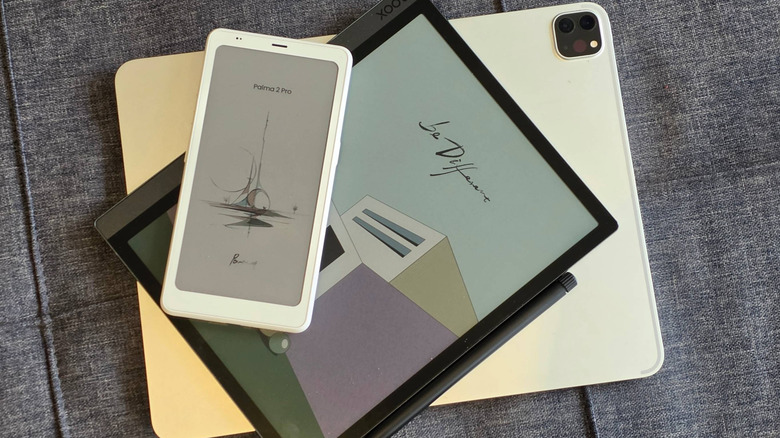
When you think about e-readers, you probably think about the likes of the classic Amazon Kindle, and the portability and pocketability of this model are often touted by the brand as a key selling point. With a 6-inch display, it's designed to have a Goldilocks size so that you've got lots of reading space, but it's still easy to take around with you. The smallest iPad, the iPad Mini, has an 8.3-inch display, and so it's not as easy to fit into a hidden crevice in your coat.
However, the Kindle isn't even the smallest e-reader on the market, with a niche of micro models shrinking things further. For example, the XTEINK X4 has a 4.3-inch display, and it's designed to clip to the back of magnetic phones. There's also a market for models that resemble the smartphone in shape, and I'm a fan of this kind of model; I'm surprised how many phone-sized e-reader alternatives are on the market. Mini e-readers lean heavily on that Kindle selling point: you can bring them on holiday or on your commute, without being weighed down.
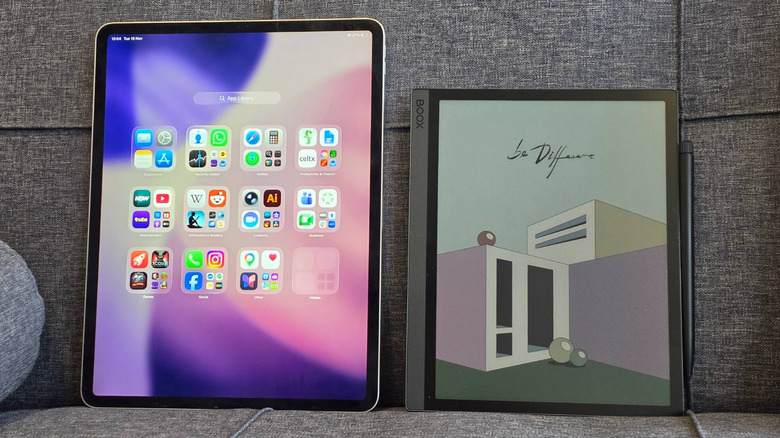
Don't like small tech? Some E Ink devices also have screens that are larger than the 13-inch iPad Pro, although not by a dramatic margin. The Onyx Boox Tab X C has a 13.3-inch display, for example, though both it and the iPad are outsized by one of the other tablets over 12 inches.
E-readers can significantly undercut iPads
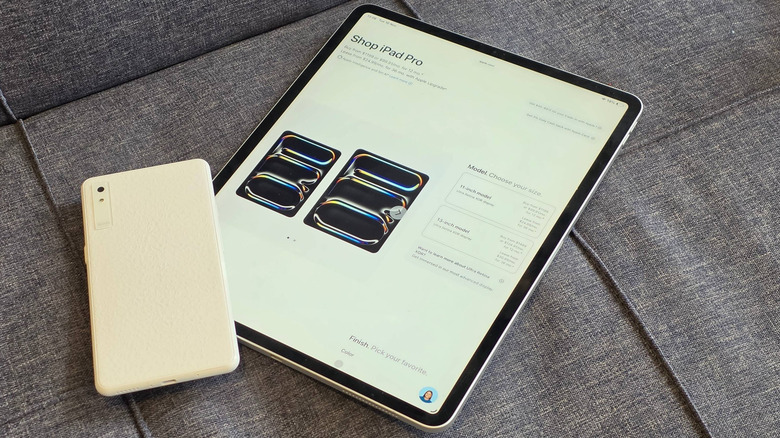
If you've been interested in buying a portable gadget, but don't want to spend too much money, the iPad family's price tags might be scaring you off. The entry-level Apple iPad costs $449, and prices go all the way up to $2,899 if you want the real top-end model (that's for a 13-inch iPad Pro with 2TB of storage, cellular connectivity, and a nano-texture glass coating). They're expensive gadgets to buy, which is why they're some of the Apple products that are most worth buying refurbished.
Lots of mini e-readers are incredibly cheap; the XTEINK X4 costs $89 while the Boox Picco is $109.99. Looking at "standard" e-readers, you'll also find that they undercut the iPad significantly. The Amazon Kindle sells for $149.99 and it's frequently discounted while its closest rival, the Kobo Clara BW, is only a little more expensive at $159.99.
Don't make the mistake of thinking that all E Ink devices are cheap, though: many of the feature-packed sorts, which we'll look at more closely later in this article, cost as much as (and often even more than) iPad models. But the point stands: there are also plenty of models on the market which undercut the entry-level iPad. So if you think an e-reader might suit you just as well as a full tablet, the lower price makes it a no-brainer.
E-readers have much better battery lives
I've never been impressed with the battery life of ... any Apple gadget, really, and my iPad is no exception. The fact that SlashGear publishes tips on keeping your iPad battery from draining so fast shows I'm not alone in finding the battery life too short. According to Apple's own data, the iPad, iPad Mini, iPad Air, and iPad Pro all share the same battery life: 10 hours of surfing the web on Wi-Fi or watching video (and nine hours if you browse using cellular data). That's quite a light way of using your slate, and from my own testing, I've found that the tablet lasts anywhere from eight hours to only three hours if you're doing something more intensive.
E-reader batteries aren't measured in hours, but in days or weeks. According to Amazon, its Kindle lasts for up to six weeks while the Colorsoft goes up to eight weeks and the Paperwhite and Scribe hit 12 weeks on a single charge. This isn't because of the size of the cell: E Ink screens don't use charge to show an image, only change it, so staring at a page for a few minutes won't use a drop of power (unless you use a front light).
E Ink (the company that makes these screens) estimates that its display results in devices that are 36 times as power efficient as ones using LCD screens. So while I've used Kindles as an example, the longer battery life is common among most e-readers.
E-reader interfaces are far simpler than iPadOS
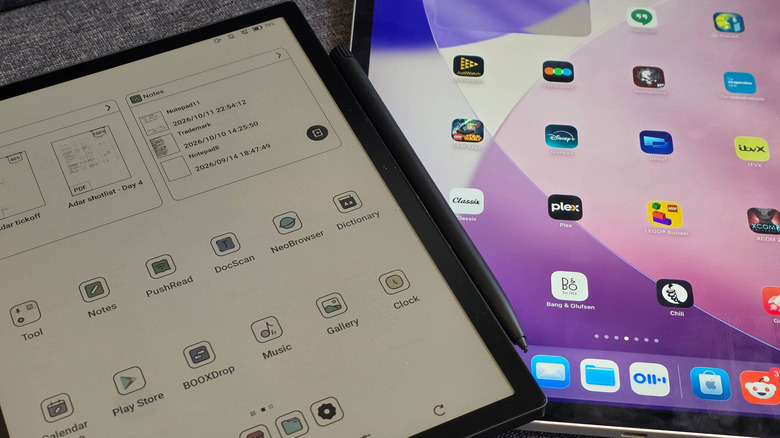
Most of my points have fallen firmly in favor of e-readers over iPads, but this next one will depend on the user. E-book readers, by virtue of their intended use, have simpler interfaces than iPads, which run an iOS fork called iPadOS. If you want your device to do loads, with different settings, features, and apps, iPads are better, but users who want something simple and quick will prefer e-readers.
Apple has been improving its operating system for many years, to the point where the iPad is a true MacBook alternative, and it's the ultimate work device with the ability to open loads of tabs, have them cluttered around your screen, have a home page full of apps, and swipe up or down in different parts of the display to access different functions. Perfect for power users, but difficult for people who want a simple device: technophobes, including some seniors and young children, may find iPadOS overwhelming.
E-readers are nothing of the sort. The Kindle firmware, which I consider to be the simplest e-reader interface, offers you your e-book library and the Kindle store, and very little else. Reading settings are easily accessible from within a book, and you'll never get lost in a menu full of random apps. Not all e-readers are the same, though: some, like the Boox Palma 2 Pro, run Android, so you can download nearly any app you want. But for the most part, these devices offer much simpler interfaces than iPads.
E-readers are designed for natural note-taking
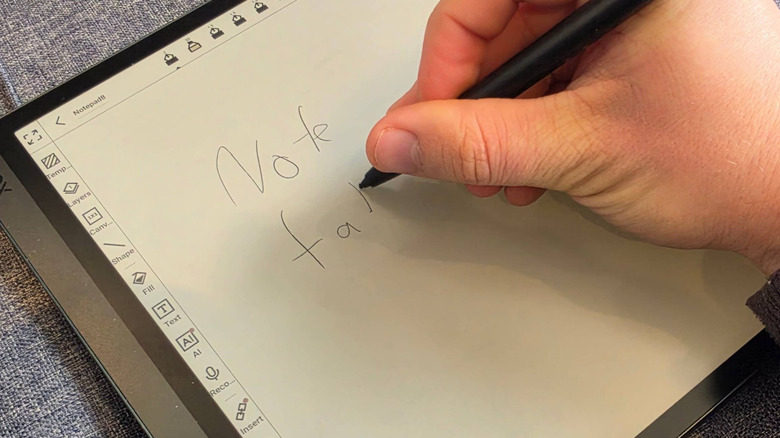
While basic e-readers are designed primarily for reading, many of the higher-end models are popular as notebook replacements for scribbling notes on the go; it's why I use my go-to Onyx model daily. E Ink is meant to replicate the look of paper, and many companies have taken this further, ensuring that using their styli on the e-readers feels like using a pen or pencil on paper.
Some brands focus on this trait. The Remarkable Paper Pure, for example, is an e-reader that is so popular for the purpose that we've written about why it's the best tablet for notes. We detailed how the screen texture and stylus nib added to the illusion: writing on it feels like you're using a pencil on paper, and previous slates from the company have also won praise for this feature. If you like sketching, handwriting ideas, or taking notes, e-reader tablets like these will be perfect.
iPads do have a compatible stylus: the Apple Pencil (a name given to a group of styli, and you need to check which Apple Pencil is compatible with your iPad before you buy one). Don't get me wrong, this is incredibly useful for navigating, drawing, and annotating documents. But dragging its plastic nib along the glass display doesn't feel anything like using a pen on paper, spoiling any possible illusion while you're working.
E Ink protects your eye health
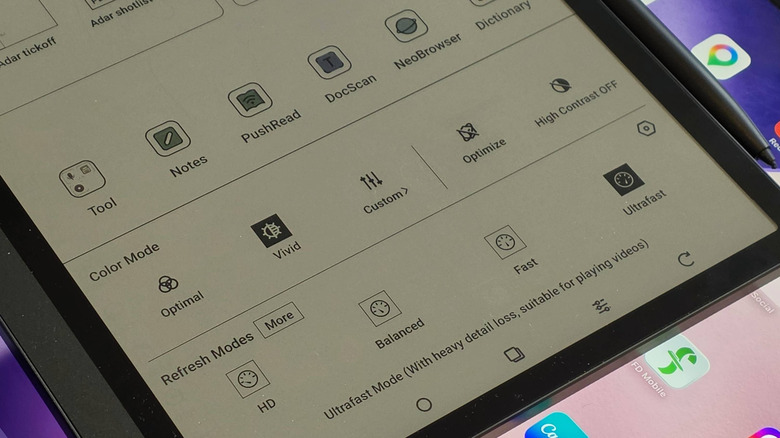
A final perk of the E Ink display used in all e-readers is closely linked to the paper-like look of the screen tech. It's been shown to be much easier on your eyes than OLED or LCD screens, like those used on iPads or smartphones. A study showed that e-readers expose you to less blue light than standard screen devices, which matters because blue light from screens at night can negatively affect your sleep.
E Ink's own study, done with the Harvard School of Public Health, suggested that this kind of screen tech is up to three times less stressful for your retinal cells than LCD displays. Many prolific e-reader users also attest to it reducing eye strain when reading, letting you read for longer in one stint.
Prolonged screen use is generally understood not to have any permanent repercussions, so you won't damage your vision in the long term by reading on an iPad. But even in the short term, eye strain and affected vision can be irritating, and using an e-reader to reduce eye strain is an easy fix. That's doubly true with many e-readers letting you customize the warmth of the display and size of font, so you can cater to your personal vision.